
Industrial IoT & Industrial Networks
Every network the devices in a plant speak, from the cable and the IP address to the dashboard on your phone: Modbus, PROFIBUS, PROFINET, CAN, DeviceNet, OPC UA and MQTT, then a layered method to find the fault in any of them.
The first lesson is free; the simulator opens with the course
Taught entirely in English: every lesson, the simulator and the final exam. Frames, codes and tool names are exactly those you will meet on real networks.
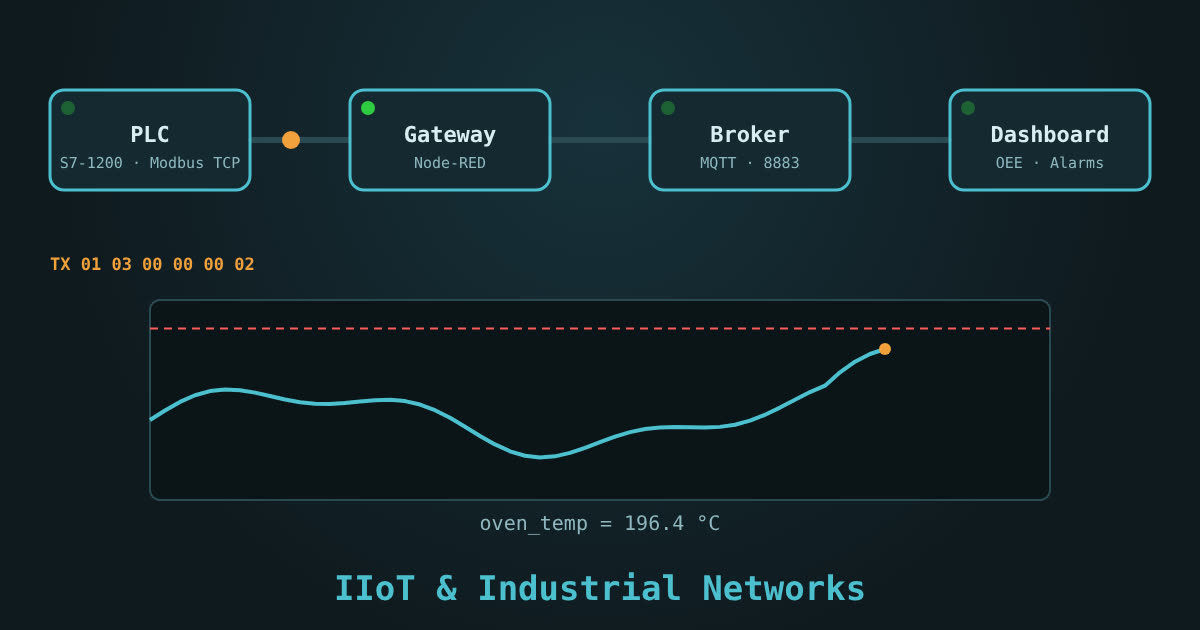
14 lessons in order, each followed by a simulator exercise
Numbers, codes and frames follow the official specifications. Every lesson has a quiz; the last one has the final exam.
- What are IIoT and industrial networks?Free
- The plant talks, but in different languages
- Three families of networks
- What does a maintenance technician need to know?
- Terms you will meet again
- The course map on the simulator
- SimulatorOpen the simulator and simply get to know…
- QuizLesson quiz
- Ethernet basics: IP, subnet and switch
- Cable, port and LEDs
- MAC address and IP address
- Static or DHCP?
- The four common faults
- Your first tools: ping and arp
- SimulatorSet your laptop's address manually on the same…
- QuizLesson quiz
- RS-485 and Modbus RTU
- Why RS-485?
- Wiring it correctly
- Serial port settings
- Registers and function codes
- The frame on the wire
- Example: reading and controlling a drive
- SimulatorSet the master's port to match the drive,…
- QuizLesson quiz
- Modbus TCP
- The same idea, over Ethernet
- The MBAP header
- Reading a PLC from a laptop
- Performance and limitations
- The Modbus TCP ⇄ RTU gateway
- SimulatorConnect to the PLC on port 502…
- QuizLesson quiz
- PROFIBUS DP
- What is PROFIBUS DP?
- Connector, cable and termination
- Addressing and the GSD file
- LEDs and diagnostics
- Reasoning through a PROFIBUS fault
- SimulatorSet the addresses of the four stations to…
- QuizLesson quiz
- PROFINET
- From PROFIBUS to PROFINET
- Name first, then IP
- Topology and switches
- LEDs and diagnostics
- Common PROFINET faults
- SimulatorSet each device's name to match the project,…
- QuizLesson quiz
- CAN bus, CANopen and DeviceNet
- How does CAN work?
- Length, speed and termination
- CANopen: identifiers and objects
- DeviceNet: the key difference
- Reasoning through a CAN fault
- SimulatorWatch arbitration between two messages…
- QuizLesson quiz
- EtherNet/IP, AS-i, IO-Link and HART
- EtherNet/IP and CIP
- AS-Interface: the yellow cable
- IO-Link: the smart sensor
- HART: digital over 4-20 mA
- The master comparison table
- QuizLesson quiz
- OPC UA
- Why OPC UA?
- Address space and NodeId
- Subscriptions instead of polling
- Security: certificates and policies
- OPC UA on the S7-1500, step by step
- SimulatorBrowse the server tree down to the production-line…
- QuizLesson quiz
- MQTT
- Publish and subscribe
- Topics and wildcards
- QoS, Retain and Last Will
- Sparkplug B: MQTT with structure
- Practical examples
- SimulatorPublish sensor readings, subscribe with wildcards…
- QuizLesson quiz
- The gateway: from the PLC to the cloud
- What is a gateway…
- A typical Node-RED flow
- Buffering and offline operation
- Gateway security
- SimulatorIn the Gateway tab…
- QuizLesson quiz
- Dashboards, trends and alarms
- From message to chart
- Good alarms and bad alarms
- OEE: the number a manager understands
- Designing a dashboard that does not confuse
- SimulatorIn the Dashboard tab…
- QuizLesson quiz
- Predictive maintenance
- Three kinds of maintenance
- What do you measure?
- From measurement to decision
- Example: the cooling pump
- SimulatorIn the Dashboard tab…
- QuizLesson quiz
- Network troubleshooting, a production-line project and the final exam
- The troubleshooting method: bottom up
- The troubleshooting toolkit
- Ten cases you will encounter
- The complete line project
- SimulatorIn the Faults tab, start the project…
- QuizLesson quiz
- ExamFinal exam
The course in numbers
What you'll learn
- Set IP addresses and subnets, understand switches and VLANs, and why ping works while the protocol fails
- Send a Modbus RTU request byte by byte with its CRC, and read a VFD and an energy meter on a correctly terminated RS-485 bus
- Read and write Modbus TCP from a PLC, with the MBAP header and exception codes
- Fix PROFIBUS addresses and GSD files, and name a new PROFINET device with DCP
- Understand CAN arbitration and tell CANopen, DeviceNet, EtherNet/IP and EtherCAT apart
- Know AS-i, IO-Link and HART and when each one fits
- Connect to an OPC UA server with a certificate, and publish/subscribe on an MQTT broker with QoS, Retain and Last Will
- Build a Node-RED gateway from the PLC to the cloud, and a dashboard with alarms that don't cry wolf, plus OEE
- Read a vibration trend and predict a bearing failure before it happens
- Troubleshoot any industrial network layer by layer with Wireshark, PRONETA and an ohmmeter
Industrial network simulator: 11 exercises
Each exercise belongs to a lesson and counts toward your progress.
- IP addressesFour devices, one duplicate address and one on another subnet: fix them and ping
- Modbus RTUTermination, baud and parity; request and response in bytes with CRC and exception codes
- Modbus TCPRead the temperature and write a setpoint in a PLC, and see the MBAP header
- PROFIBUS DPDial addresses, GSD files and termination at both ends
- PROFINETA replaced device lost its name: assign it with DCP and check PRONETA
- CAN busThree nodes transmit at once: who wins? Measure the 60 Ω termination
- OPC UACertificate and security policy, browse, read and subscribe
- MQTTPublish and subscribe with + and #, Retain and Last Will
- Node-RED gatewayWire Modbus → Function → MQTT and get correct JSON out
- DashboardAlarm with limit, delay and hysteresis, OEE, and predict when vibration crosses the ISO limit
- Filling-line projectThree hidden faults out of 8 in different layers: find them with the right tool and fix them
Who this course is for
- Maintenance engineers and technicians who meet Modbus, PROFIBUS and PROFINET cables every day
- PLC programmers who want to connect the machine to the cloud
- IT engineers moving into plants who need to understand OT
- After the PLC course; no networking background needed
Before you ask
Do I need hardware or software?
Which networks exactly?
Do I need an account?
Is there a certificate?
Ready to connect the machine to the cloud?
The first lesson is free; the whole course with its simulator opens when you buy it. Start now and continue at your own pace; your progress is saved.