
VFD (inverter) course
Wire the drive, enter its parameters from the real keypad, run the motor and clear its faults, on 16 drives from the best-known brands.
The first two lessons and lesson 6 of the theory course are free, and the PowerFlex 525 simulator is open to everyone, no account needed
The lessons are in Arabic for now; the English version is on the way. Device screens and codes are the same as on the real hardware.
The course in numbers
Start with the theory: the VFD course
12 interactive lessons that explain the drive before you touch the keypad. Then step 2: the simulators.
- Why a VFD?FreeDOL, star/delta and soft starters, and energy savings
- Inside the driveFreeRectifier, DC bus and IGBTs
- PWM and V/fHow it changes speed
- Power and control wiringR S T and U V W, 2-wire and 3-wire, and analog signals
- Parameters and autotuneLesson 6 freeFrom the motor nameplate to the drive, V/f and vector
- Braking, PID, faults and safetyOV and the braking resistor, a constant-pressure pump, fault codes, an exam and a certificate
What you'll learn
- Wire power, motor and control terminals without burning anything
- Navigate keypad menus and enter parameters with the same buttons
- Enter motor nameplate data and run an autotune
- Run from the keypad and from 2-wire and 3-wire terminals
- Take speed from a potentiometer, 0–10 V, 4–20 mA and preset speeds
- Stop fast with a braking resistor, without an overvoltage trip
- Trigger faults yourself, understand the code and the cause, and reset properly
- Compare the same function across brands in the comparison simulator
Step 2: guided exercises in every simulator
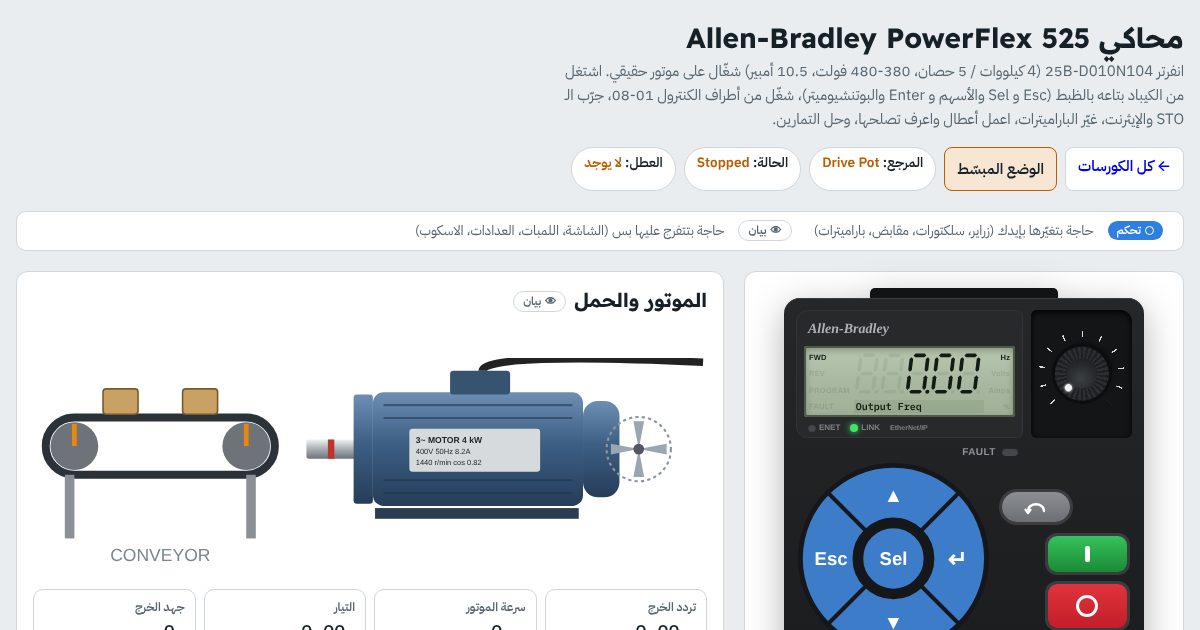
Each exercise has 4 steps: wiring, parameters, run, and try a fault. This is the PowerFlex 525 example; every simulator has exercises with the same idea for its device.
- Keypad + the drive's own potentiometerFirst run: Start from the keypad and speed from the built-in pot
- 2-wire: forward/reverse selector + external 0-10 V potRun from terminals with an analog speed reference
- 3-wire: Start and Stop buttons + direction selectorA momentary button and the drive latches itself
- Preset speeds from a 4-position selectorPreset speeds on digital inputs
- 4-20 mA speed from a PLC + relay lamps and Hz meterA pump taking its speed from a PLC, with Ready, Fault and Run lamps
- Fast stop with a braking resistor (heavy load)Stop in a second and a half without an overvoltage fault
Simulators in this course
- PowerFlex 525
- PowerFlex 40
- 1336 PLUS II
- SINAMICS V20
- SINAMICS G120
- Altivar ATV320
- Altivar ATV630
- ABB ACS580
- Delta VFD-MS300
- Delta VFD-C2000
- Danfoss FC 51
- Mitsubishi FR-E800
- Yaskawa GA500
- LS iG5A
- INVT GD20
- Fuji FRENIC-Mini
Who this course is for
- Maintenance technicians and engineers who meet VFDs at work
- You have a specific drive at your plant and want to learn it before touching it
- Trainers and training centres: show the simulator on a projector
- After you finish classic control
Before you ask
Which drive should I start with?
Are the parameters identical to the manual?
Do I need an account?
Can I type the parameters myself?
Does it work on a phone?
Ready to start with VFDs?
The PowerFlex 525 simulator is open to everyone, no account needed. Start now and continue at your own pace; your progress is saved.