
SCADA & HMI
How to design an operator screen that makes sense in a second, connect it to the PLC, and run alarms, trends, users and recipes on a modern SCADA system. Built on WinCC Unified in TIA Portal, compared with Ignition and FactoryTalk Optix, and grounded in ISA-101, ISA-18.2 and IEC 62443.
The first lesson is free; both simulators open with the course
The lessons are in Arabic for now; the English version is on the way. Tag names, menus and standards are the same as in the real software.
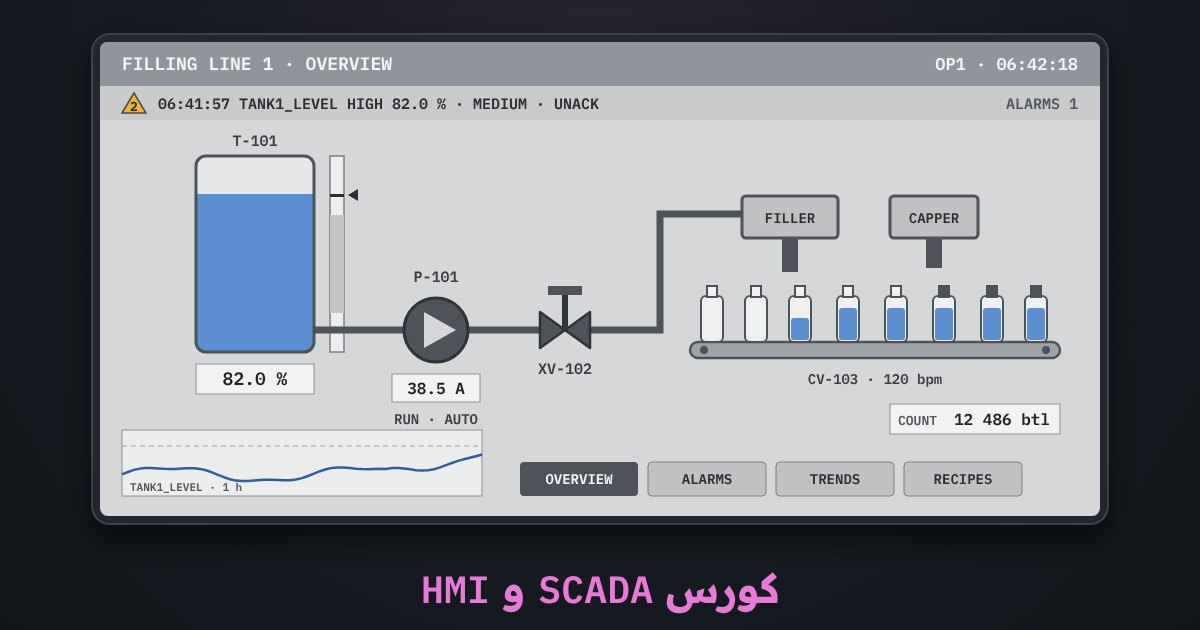
12 lessons in order, each followed by a simulator exercise
Terms follow WinCC Unified and TIA Portal exactly. Every lesson has a quiz; the last one has the project and the final exam.
- What are SCADA and HMI?Free
- QuizLesson questions
- Tags and the PLC connection
- QuizLesson questions
- High-performance screen design (ISA-101)
- QuizLesson questions
- The basic objects: buttons, I/O fields and indicators
- QuizLesson questions
- Dynamics, animation and faceplates
- QuizLesson questions
- Alarms and alarm management (ISA-18.2)
- QuizLesson questions
- Trends and archiving
- QuizLesson questions
- Users, permissions and system security
- QuizLesson questions
- Recipes and scripts
- QuizLesson questions
- SCADA architecture: servers, clients and redundancy
- QuizLesson questions
- Commissioning, testing and troubleshooting
- QuizLesson questions
- Project: a complete SCADA for a filling line + the exam
- QuizLesson questions
- ExamFinal exam
The course in numbers
What you'll learn
- Tell HMI, SCADA and DCS apart and place each one in the automation pyramid
- Set up the PLC connection and a correct tag table: data types, acquisition cycles and linear scaling from 0–27648 to engineering units
- Design high-performance screens to ISA-101: calm grey, colour only for alarms, and values shown against their normal range
- Bind buttons, I/O fields and indicators correctly: momentary buttons, not toggles, and limits on every field
- Add dynamics: colour and visibility by state, plus faceplates and types you reuse everywhere
- Manage alarms to ISA-18.2: priorities, acknowledgement and shelving, and stop alarm floods and chattering alarms
- Read trends and the archive to analyse an incident that happened overnight and find its cause
- Set up users, permissions and the audit trail, with the basics of IEC 62443
- Write recipes and download them to the PLC safely, and use JavaScript scripts in WinCC Unified
- Build an architecture with a standby server, web clients and OPC UA, and troubleshoot the system: ####, lost connections and alarms that never appear
Filling-line SCADA station and HMI screen designer: 11 exercises
A filling line running in front of you, and a screen editor you build in and run in runtime. Each exercise belongs to a lesson and counts toward your progress.
- Tag table and connectionThe S7-1500 link is down and every field shows ####: fix the address, the data types and the 0–27648 linear scaling until the values match the PLC
- Alarm managementThe compressor trips and 30 alarms arrive in 10 s: find the first-out alarm, acknowledge them all, and stop the chattering one with a deadband or a delay
- Incident analysis from the trendThe tank overflowed overnight: move the cursors on a 12-hour trend and find the moment the level transmitter froze
- Users and permissionsSet the Operator, Maintenance, Engineer and Admin matrix and auto logoff, then test each user and read the audit trail
- RecipesEdit the juice-filling recipe and download it to the PLC: out-of-range values are blocked, and downloads only work with the line stopped
- Architecture and redundancyPair a Primary/Standby server and a web client, kill the primary and watch the switchover with no gap in the data
- Troubleshooting4 hidden faults: a lost connection, a #### field, a wrong data type and an alarm that never appears. Find and fix them
- High-performance screen (ISA-101)A rainbow screen with 3D pumps and red/green status: fix it to ISA-101 rules
- Operating objectsMomentary Start/Stop buttons, a speed field limited to 0–50 Hz, a status indicator and a current bar, then test them in runtime
- DynamicsA moving tank level, a valve colour that follows its state, an alarm icon only on fault, and a pump faceplate
- Filling-line projectBuild the whole line screen with pipes, screen navigation, alarms and a trend, then run it
Who this course is for
- PLC programmers who want to build operator screens and a complete SCADA system
- Maintenance engineers and technicians who work with operator screens and alarms every day
- Anyone who wants to understand WinCC Unified and compare it with Ignition and FactoryTalk
- After the PLC course; the IIoT course helps but is not required
Before you ask
Do I need TIA Portal or a real panel?
Which software does it cover?
Do I need an account?
Is there a certificate?
Ready to build your first SCADA screen?
The first lesson is free; the whole course with both simulators opens when you buy it. Start now and continue at your own pace; your progress is saved.