
Servo course
Run the servo from the keypad and from a PLC, set the gear ratio and gains, and clear alarms on machines moving in front of you.
The first two lessons and lesson 6 of the theory course are free; the servo simulators open with the course
The lessons are in Arabic for now; the English version is on the way. Device screens and codes are the same as on the real hardware.
The course in numbers
Start with the theory: the servo motor & drive course
12 interactive lessons that explain the servo before you touch the keypad. Then step 2: the simulators.
- What is a servo?FreeThe closed loop, and servo vs stepper vs VFD
- Inside the servo motorFreeMagnets, encoder, brake and nameplate
- The encoder and the drive insideIncremental and absolute, and three loops: current, speed and position
- Wiring and operating modesLesson 6 freeU V W and STO, pulse, speed and torque
- Electronic gearing and tuningFrom ball-screw pitch to gear ratio, gain tuning and auto-tune
- Homing, PLC and alarmsLimits and home, pulses and networks, a fault game, an exam and a certificate
What you'll learn
- Wire the drive, motor, encoder and CN1 terminals
- Test the motor with JOG from the keypad before any PLC
- Run speed mode with a 0–10 V command and internal speeds
- Send Pulse + Direction from a PLC and calculate the electronic gear
- Use PR mode for preset positions and torque mode T
- Tune gains with a heavy load and watch the motion profile
- Secure a vertical axis with limit switches, E-stop and the brake
- Understand alarms and clear them like on the real drive
Step 2: guided exercises
Each exercise has 4 steps: wiring, parameters, run, and try a fault. These are the Delta ASDA-B2 simulator exercises.
- JOG test from the keypadMake sure the motor and encoder are healthy before connecting a PLC
- Speed mode S with 0-10 V on V-REFSpeed from an analog signal, with the servo enabled by SON
- Pulse mode PT: Pulse + Direction from a PLCElectronic gearing: how many pulses make one revolution
- PR mode: preset positions selected by inputsPositions stored in the drive, run by a signal
- Torque mode T: constant tension with T-REF and a speed limitConstant torque on a conveyor with a speed limit
- Vertical axis: limit switches, E-stop and brakeHow to keep the load from dropping when the servo switches off
Simulators in this course
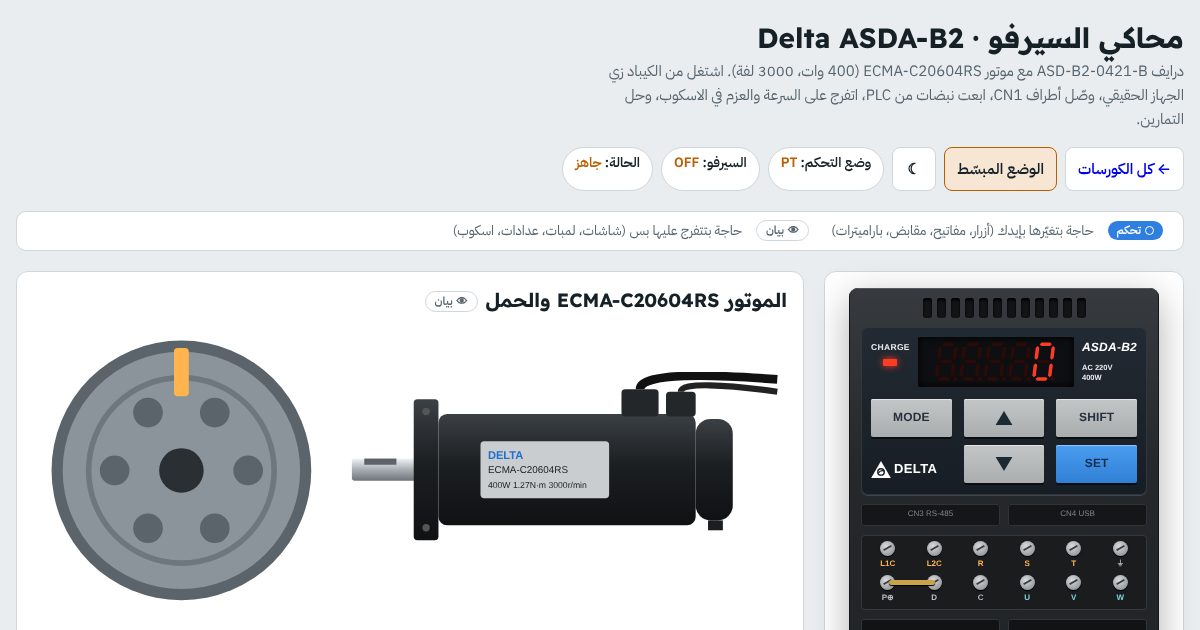
- Delta ASDA-B2
- Mitsubishi MELSERVO MR-JE
- Yaskawa Sigma-7 SGD7S
- Allen-Bradley Kinetix 300
Who this course is for
- Maintenance technicians and engineers on production and packaging lines
- PLC programmers who need to understand the drive inside
- Mechatronics and control students
- After you finish VFDs
Before you ask
Do I need to know VFDs first?
Which brands are included?
Do I need an account?
Are the parameters identical to the manual?
Does it work on a phone?
Ready to start servo?
The first two lessons and lesson 6 are free; the whole course with its simulators opens when you buy it. Start now and continue at your own pace; your progress is saved.